

Narrow down the problem before changing settings
Compare one failing address with an ordinary webpage, then separate page loading from an account or installation issue.
| Situation | What to check |
|---|---|
| Every page fails | Check the network connection first. |
| Only one address fails | Record that address and the exact message. |
| Page loads but account step fails | Use the destination recovery or account-support process. |
| Connection app changes the result | Compare with the normal connection; optional setup appears below. |
Name the symptom first
Support at jiligames.com begins by separating a browsing problem from an account decision. Note whether the page failed to open, a control stopped responding, an account entry was rejected or an installer produced an error. Change one setting at a time so the result is meaningful.
When a page stays blank
Open another ordinary website on the same connection. Compare available networks and note the exact failing address. Reload once and allow it to finish. If only an external destination fails, record that difference; changing every browser setting can remove useful evidence without addressing the cause.
When account access is rejected
Check the field type, autofill and visible error. Use the recovery options provided by the account service. A temporary loading issue and an account restriction require different responses. Do not send passwords, full identity documents or one-time codes through the listed social links.
When a download is unclear
Record where the file came from, what it is called and the device message. Read the publisher’s installation instructions before attempting another file. A cover image or a phone illustration cannot establish which installer is appropriate for your device.
Prepare the next message
If the issue concerns a page on jiligames.com, include the address, time, device and browser. Remove personal details from any screenshot. Review Contact for the currently listed destinations and use the account provider directly for account-specific decisions.
VPN Download Tutorial
Optional setup for Cloudflare 1.1.1.1. App screens may vary by version. Use services permitted on your network and review the provider’s notices.
iOS
Open the App Store.
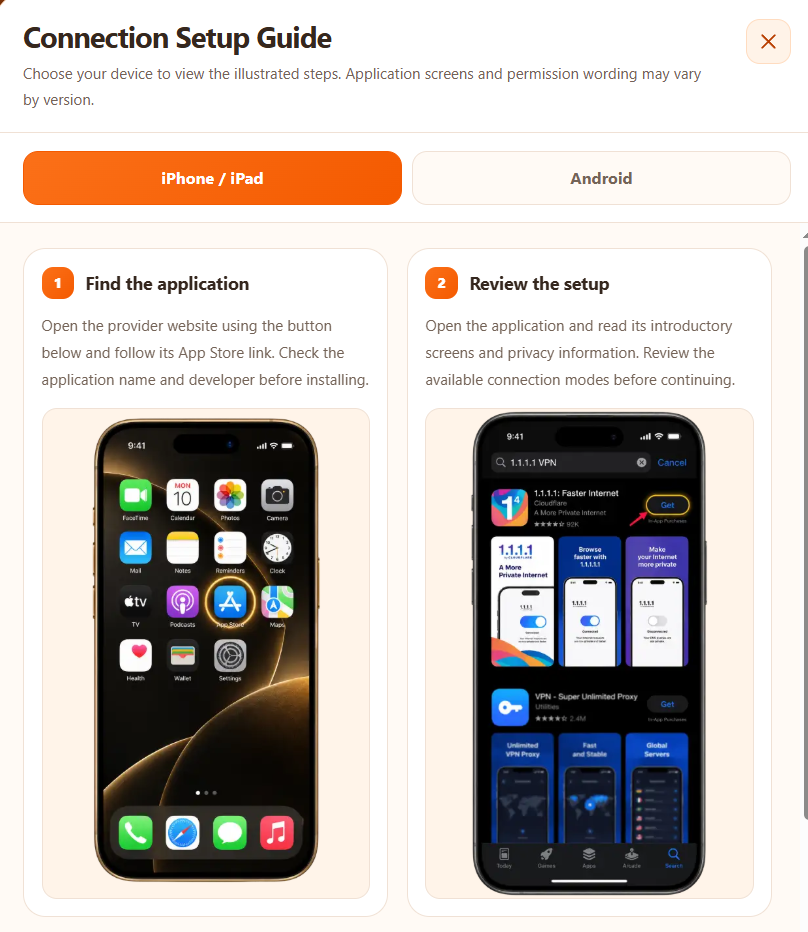
Find 1.1.1.1: Faster Internet and check that the developer is Cloudflare before installing.
Open the app and review the setup notices. Enable WARP and approve the VPN profile when prompted; the order may differ by platform. The image shows the disconnected state before connection.
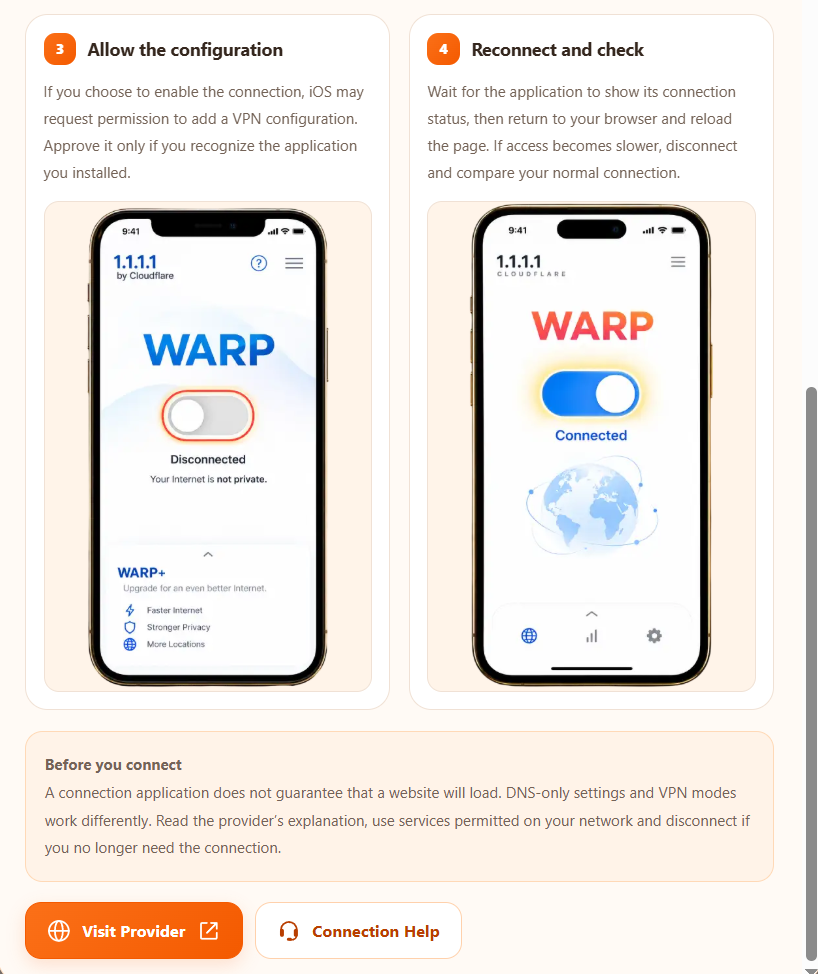
Turn on WARP and wait for the app to report Connected. Return to your browser. If access does not improve, disconnect and compare your normal connection.
Android
Open Google Play.
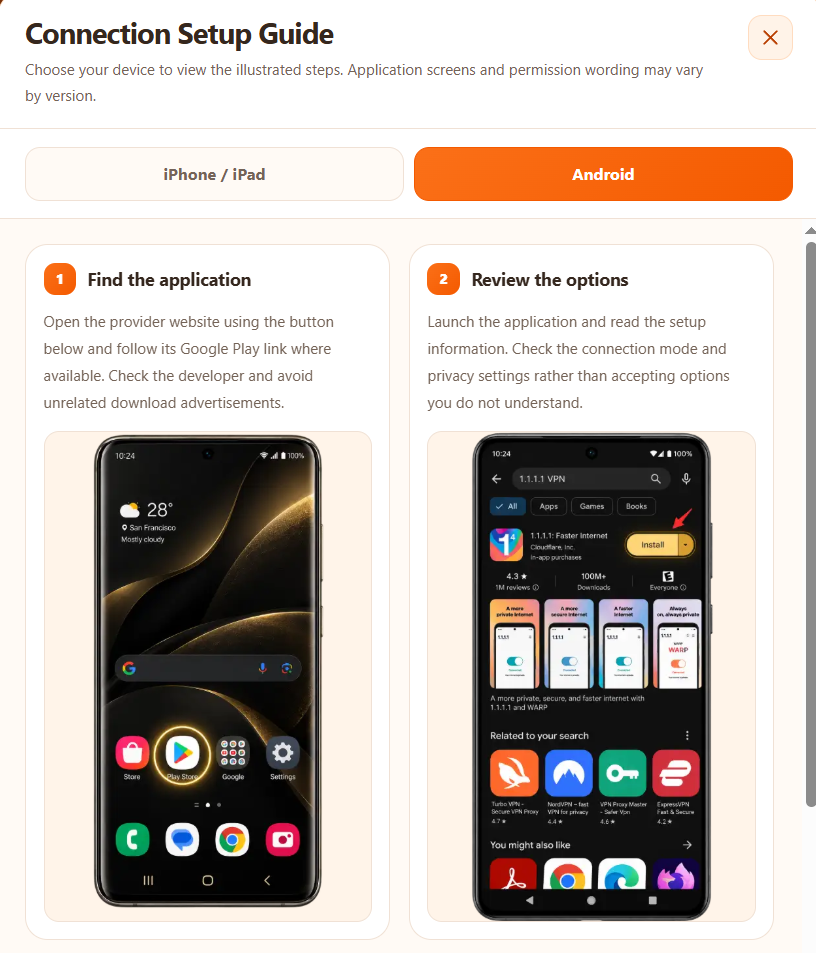
Find 1.1.1.1: Faster Internet and check that the developer is Cloudflare before installing.
Open the app and review the setup notices. Enable WARP and approve the VPN profile when prompted; the order may differ by platform. The image shows the disconnected state before connection.
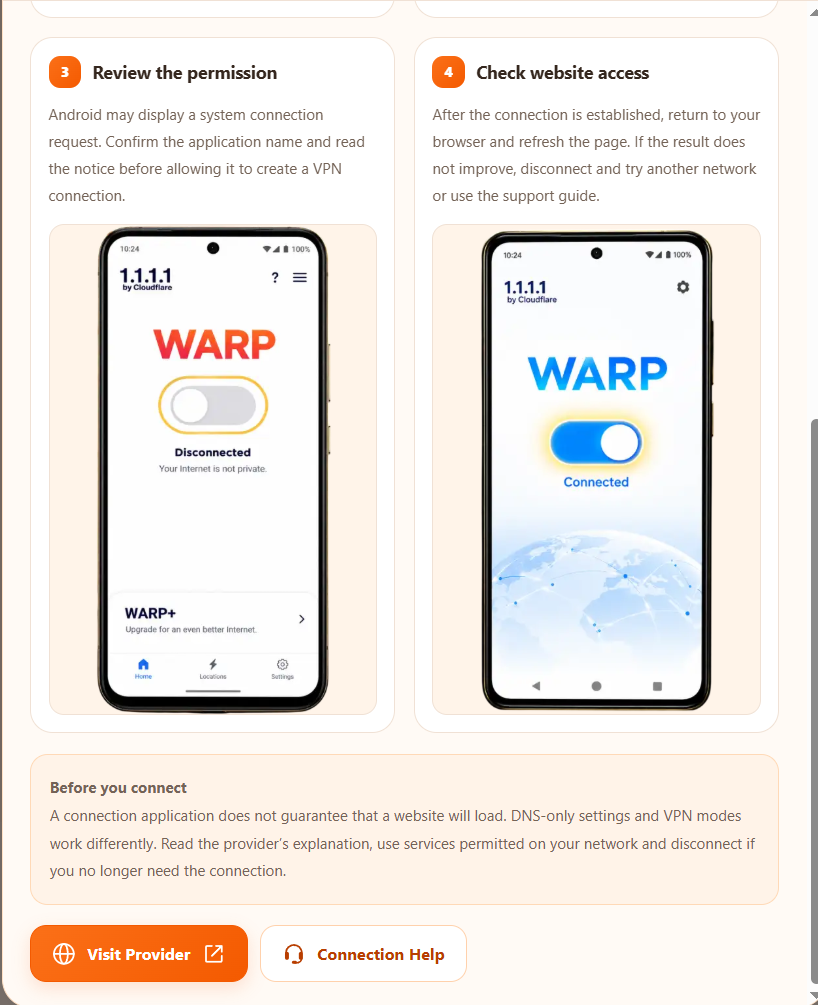
Turn on WARP and wait for the app to report Connected. Return to your browser. If access does not improve, disconnect and compare your normal connection.